


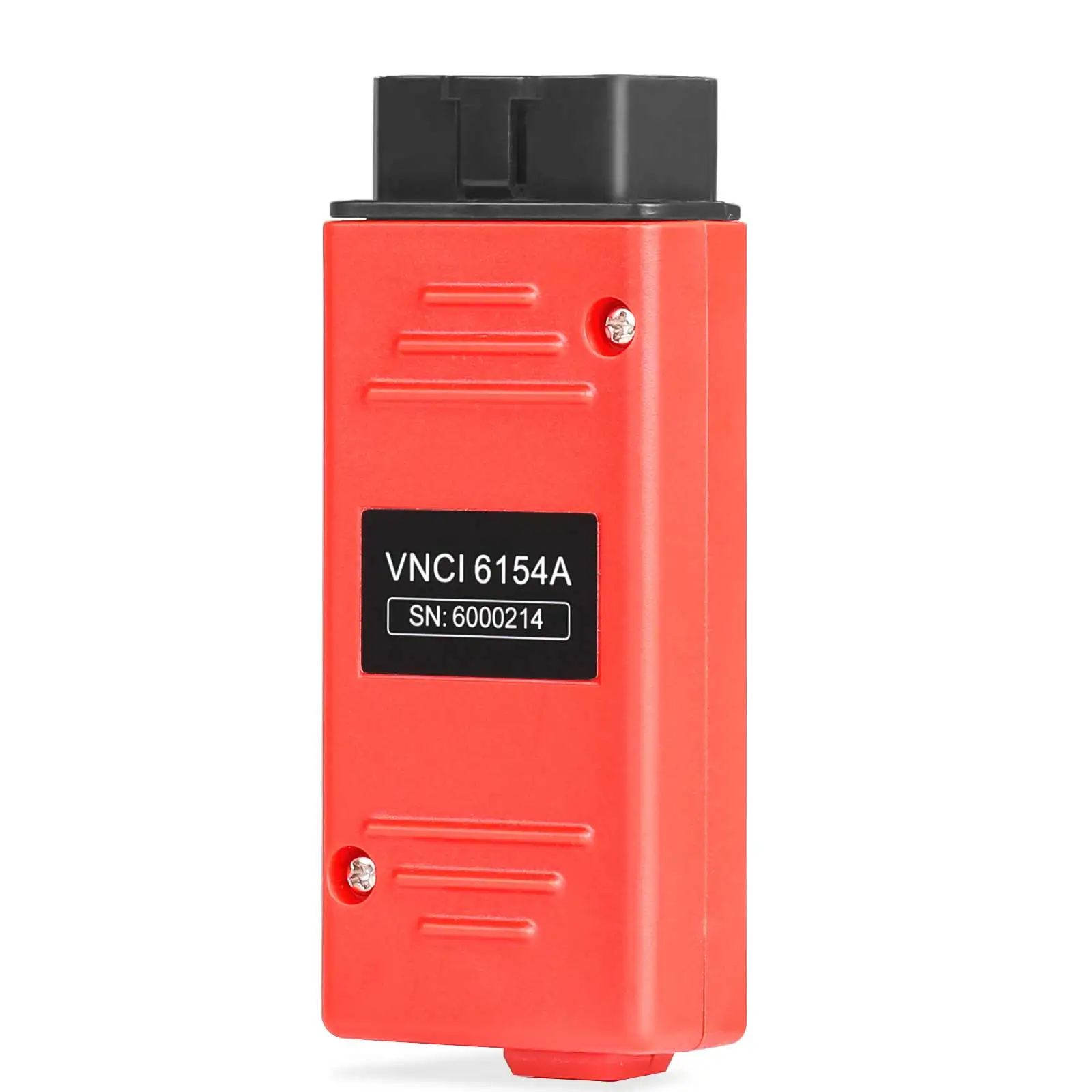
VNCI 6154A VAG Diagnostic Interface with CAN FD and DoIP
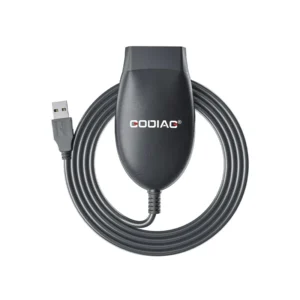
The VNCI 6154A is a professional aftermarket vehicle communication interface designed for supported Volkswagen Group vehicles.
It works with compatible ODIS Service and ODIS Engineering software using the original-style VAS 6154 driver. The interface supports modern CAN FD and DoIP communication as well as traditional VAG diagnostic protocols.
The VNCI 6154A provides USB, direct Wi-Fi and workshop-network connection modes, making it suitable for vehicle diagnostics, guided functions, coding and authorized programming procedures.
Main Features
• Designed for supported Volkswagen Group vehicles
• Compatible with ODIS Service
• Compatible with ODIS Engineering
• Supports CAN FD communication
• Supports Diagnostics over Internet Protocol — DoIP
• Supports traditional CAN, UDS, KWP2000 and K-Line communication
• Compatible with the original-style VAS 6154 software driver
• Plug-and-play operation after installing the correct driver
• USB connection for stable diagnostic and programming work
• Wi-Fi Direct Access Point connection
• WLAN workshop-network connection
• Physical button for switching wireless operating modes
• Status LEDs for connection, communication and DoIP activity
• Powered directly through the vehicle’s 16-pin OBD port
• Compact and lightweight design
Supported Vehicle Brands
The VNCI 6154A is intended for supported vehicles from Volkswagen Group brands, including:
• Volkswagen
• Audi
• Skoda
• SEAT
• Volkswagen Commercial Vehicles
• Bentley
• Lamborghini
• Bugatti
Actual coverage depends on the vehicle model, production year, electronic architecture, installed ODIS data and available user authorization.
ODIS Service Compatibility
ODIS Service is designed for guided vehicle diagnosis and repair procedures.
Depending on the vehicle, software package and user permissions, available functions can include:
• Automatic vehicle identification
• Guided fault finding
• Full-system vehicle scanning
• Reading and clearing fault codes
• Live measured values
• Actuator and output tests
• Basic settings
• Adaptations
• Component replacement procedures
• Service resets
• Control-unit identification
• Guided repair procedures
• Authorized control-unit programming
• Online component protection procedures
ODIS Engineering Compatibility
ODIS Engineering is intended for engineering-level work with compatible Volkswagen Group vehicles and control modules.
Depending on the project files, datasets and permissions, functions can include:
• Control-unit identification
• ECU flashing
• Dataset writing
• Parameterization
• Coding
• Adaptation
• Measured values
• Actuator tests
• Diagnostic sessions
• Engineering project access
• Vehicle-network analysis
ODIS Engineering should only be used by qualified technicians familiar with VAG control modules, flash files, datasets and vehicle configuration.
Software-Version Information
This product is commonly offered with compatibility for:
• ODIS Service V23.0.1
• ODIS Engineering V17.01
The VNCI 6154A hardware can also work with several older or newer compatible ODIS versions when the correct driver and operating environment are installed.
Software version, installation media and included database vary according to the selected package. Confirm whether software is included before ordering.
Supported Communication Protocols
• CAN
• CAN FD
• DoIP
• UDS
• KWP2000
• K-Line
Protocol availability depends on the vehicle and diagnostic software.
Three Connection Modes
USB Connection
Connect the VNCI 6154A directly to the computer using the supplied USB cable.
USB is the recommended connection method for:
• ECU flashing
• Long coding sessions
• Parameterization
• Control-unit replacement
• Software updates
• Operations where maximum communication stability is required
Wi-Fi Direct / AP Mode
The VNCI 6154A creates its own wireless access point, allowing a computer to connect directly to the interface without a workshop router.
When the computer has only one Wi-Fi adapter, internet access may be unavailable while connected directly to the VNCI network.
WLAN / Base-Station Mode
The VNCI 6154A can connect to the existing workshop wireless network. This allows the diagnostic computer to communicate with the device while retaining network or internet access.
Diagnostic and Programming Functions
Available functions depend on ODIS, vehicle compatibility and user authorization. Supported operations can include:
• Vehicle identification
• Full-system diagnosis
• Reading and clearing DTCs
• Live-data display
• Freeze-frame data
• Actuator testing
• Basic settings
• Adaptations
• Service procedures
• Control-unit coding
• Module parameterization
• ECU software flashing
• Component replacement
• Guided fault finding
• Online functions with an authorized account
• Selected hidden-feature configuration
Technical Specifications
Model: VNCI 6154A
Device type: VAG Vehicle Communication Interface
Connection methods: USB, Wi-Fi AP and WLAN
Wireless frequency: 2.4 GHz
Operating voltage: 8–18V DC
Power source: Vehicle OBD-II connector
Supported protocols: CAN, CAN FD, DoIP, UDS, KWP2000 and K-Line
Dimensions: Approximately 110 × 48 × 28 mm
Weight: Approximately 85.5 g
Operating environment: Approximately −20°C to 85°C
Computer system: 64-bit Windows recommended
Recommended operating system: Windows 10 or Windows 11 Professional 64-bit
Recommended Computer Requirements
• Intel Core i5 2.4 GHz or better
• 4GB RAM minimum; more is recommended
• At least 500GB storage for larger ODIS packages
• Two available USB ports
• Compatible 2.4 GHz Wi-Fi adapter
• 64-bit Windows Professional
• Correct VNCI/VAS 6154 driver
Package Contents
• 1 × VNCI 6154A Diagnostic Interface
• 1 × USB Connection Cable
• 1 × User Manual
Software, installation USB, license, account or hard drive may not be included unless explicitly shown in the selected package.
Important Software Notice
The VNCI 6154A is the communication hardware. ODIS software, diagnostic data, flash files and online accounts are separate requirements.
Online functions can require:
• Authorized ODIS installation
• Valid Volkswagen Group account
• Active subscription
• Internet connection
• SFD authorization
• GEKO or component-protection access
• Correct vehicle-specific flash files and datasets
The device does not independently bypass SFD protection, generate online credentials or provide manufacturer authorization.
Programming Safety
When performing ECU flashing, coding or parameterization:
• Use a professional regulated battery-support unit
• Maintain stable vehicle voltage
• Prefer the USB connection
• Disable Windows sleep and automatic updates
• Keep the laptop connected to external power
• Do not disconnect the diagnostic interface
• Do not switch off the ignition unless instructed
• Do not interrupt the software procedure
• Verify the correct control-unit part number and flash file
An interrupted programming session can corrupt the ECU and may prevent the vehicle from starting.
Professional Use Notice
The VNCI 6154A is intended for trained automotive technicians. Incorrect coding, dataset installation, flashing or parameterization can disable control modules or affect safety-related vehicle systems.
Always create backups where supported and follow the correct Volkswagen Group service or engineering procedure.
Explore more professional automotive diagnostic scanners

Reviews
There are no reviews yet.